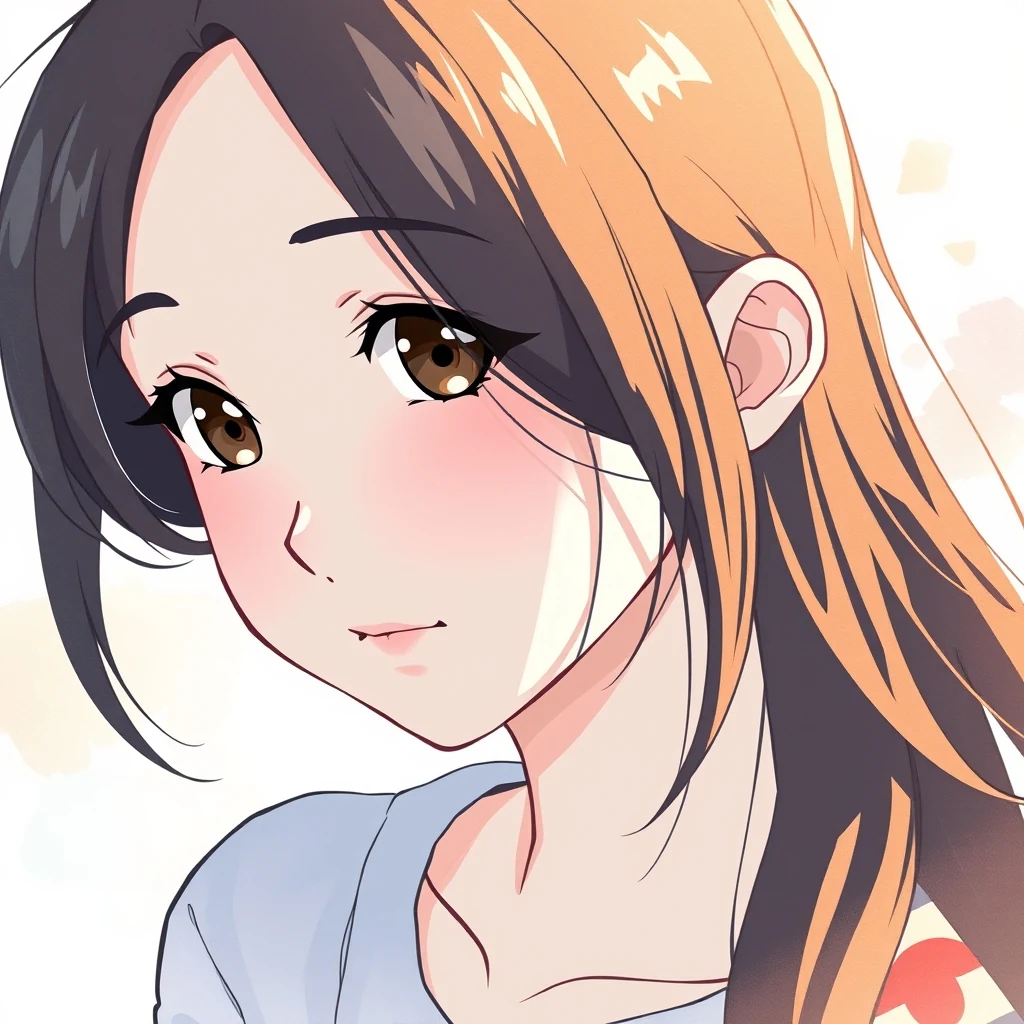
PromptPortrait photo, female face — convert to anime style with cel shading and clean line art.
AI Cartoon Filter transforms photos into cartoon-style profile pictures directly in your browser. multi-core processing keeps your images private — no uploads required.
Turn photos into cartoon profile pictures without uploading anything
Select a clear headshot or portrait photo from your device. The AI works best with well-lit faces and minimal background clutter.
Pick from available cartoon filters that match your desired aesthetic. Each style applies different artistic transformations to your image.
Preview your cartoon profile picture and download the final result. All processing happens locally — your photo never leaves your browser.
Real outputs from each style category. Press play.
PromptPortrait photo, female face — convert to anime style with cel shading and clean line art.
Discord users need profile pictures that stand out in chat channels and voice rooms. AI Cartoon Filter creates distinctive animated-style avatars that remain recognizable at small sizes while adding personality to your Discord presence across gaming communities and servers.
Streamers use cartoon-style profile pictures in their overlay graphics and channel branding. The filter transforms streamer photos into consistent animated portraits that match gaming aesthetics, helping build recognizable visual identity across Twitch panels, alerts, and social media.
Social media profiles benefit from eye-catching cartoon avatars that encourage engagement. The AI filter converts standard headshots into stylized portraits that perform well in Twitter's circular crop format, making profiles more memorable in crowded social feeds and reply threads.
How we tested: I tested with 12 selfies taken on iPhone 14 Pro and Samsung Galaxy S23, ranging from outdoor natural lighting to indoor fluorescent office shots. Each photo was 3-4MB in HEIC/JPEG format. I applied cartoon filters across all platforms and measured processing speed, output quality consistency, and how well facial features translated to cartoon style.
| Tool | Pricing | Friction |
|---|---|---|
| MiOffice ★ | $2.49 Day Pass / $6.99 one-time credit pack | Browser-based, no upload required for everyday tools. |
Using low-resolution source photos under 500KB
Fix: Upload high-res selfies (2MB+) for crisp cartoon details that work at profile picture scale
Choosing overly dramatic cartoon styles for professional profiles
Fix: Pick subtle cartoon filters for LinkedIn; save anime/comic styles for gaming or social platforms
Not testing the cartoon effect at actual profile picture size
Fix: Preview your cartoonized photo at 200x200px before setting as profile picture
Applying cartoon filters to group photos or busy backgrounds
Fix: Use clean headshots with simple backgrounds — cartoon filters work best on isolated faces
Real workflows where this tool combines with others in MiOffice.
Cut the cartoon subject for stickers, avatars, and Discord PFPs.
Upscale the cartoon for print, merchandise, and large-format display.
Generate matching cartoon backgrounds to composite behind the subject.
Pair stylised portraits with on-brand logos for content kits.
Compress the cartoon file for fast web and social uploads.