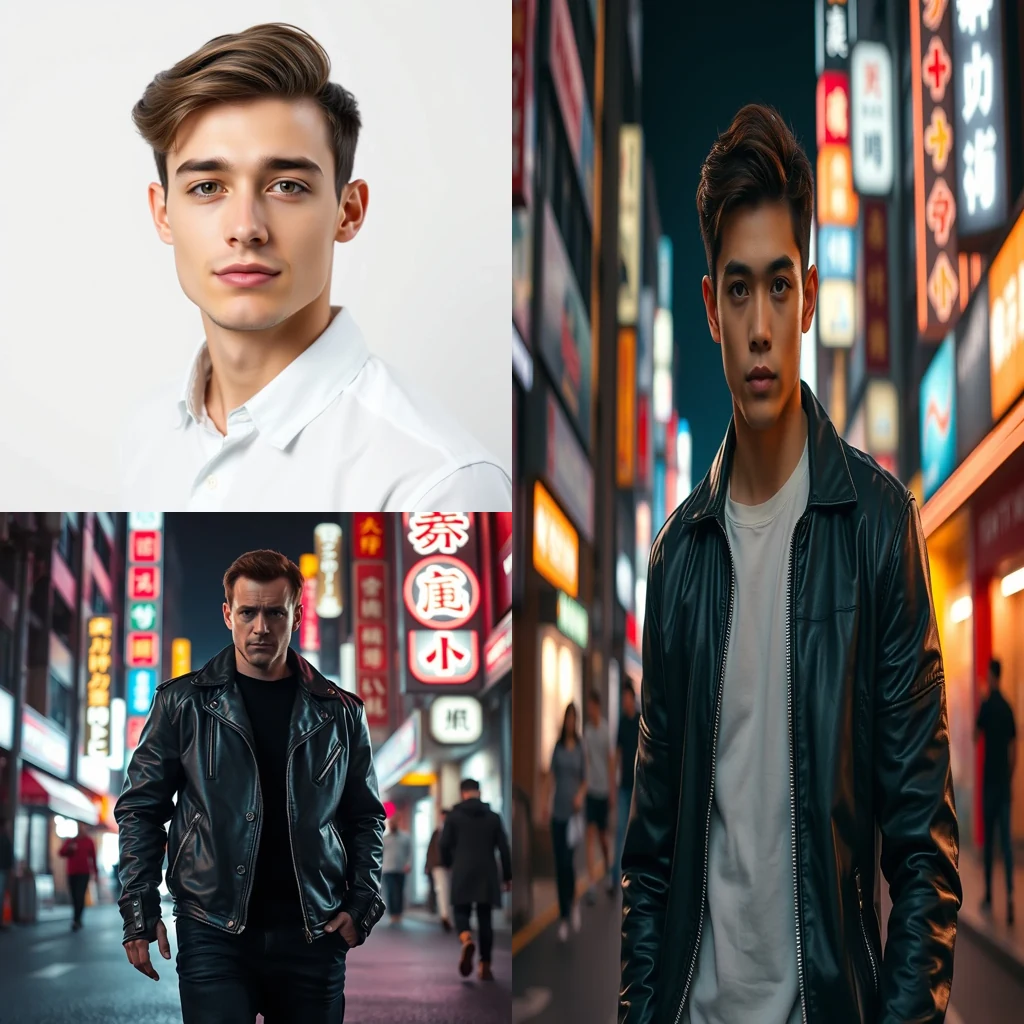
Free AI Face Swap for Dating Profile

AI Face Swap swaps faces between photos for dating profile enhancement. Files stay in your browser — no uploads, no privacy concerns.

Enhance dating photos with face swapping technology

Open AI Face Swap →
  • Free credits on signup
  • No subscription
  • Royalty-free
  • 155+ tools across 9 studios in one tab — AI, Video And Audio, Image, Document, Scanner, Notes, ScreenShare, TransferFiles, DeviceHandoff.
  • A typical creator stack — Adobe Creative Cloud + Canva Pro + Otter + Loom + Mubert — runs $60-200/month. MiOffice replaces it with a Day Pass or a one-time credit pack.

Three steps, zero setup

  1. 1

    Upload source photos

    Select your best face photo and the target photo where you want to place it for your dating profile.

  2. 2

    Process the swap

    AI Face Swap analyzes facial features and seamlessly blends your face into the target photo while maintaining natural lighting.

  3. 3

    Download enhanced photo

    Save your improved dating profile photo with consistent lighting and optimal facial positioning for better matches.

See what it generates

Real outputs from each style category. Press play.

Movie and Meme Composites

Movie poster face swap — replace lead actor with user portrait, preserve lighting and pose.

PromptMovie poster face swap — replace lead actor with user portrait, preserve lighting and pose.

Before/after composite

For every flavour of Dating Profile

Profile Photo Enhancement

Transform mediocre selfies into compelling dating profile photos by swapping your face from a high-quality source onto better-lit or more flattering body shots. This creates professional-looking profile pictures without expensive photo shoots, helping you put your best face forward while maintaining authenticity in your dating presence.

Group Photo Cleanup

Extract yourself from group photos where you look great but want a solo shot for your dating profile. AI face swap lets you place your face from the group setting onto a clean background or different body pose, creating individual profile photos from social moments where you photographed well.

Lighting Consistency

Fix inconsistent lighting across your dating profile photo collection by swapping your face between photos with different lighting conditions. This ensures all your profile pictures have the same flattering illumination and skin tone, creating a cohesive visual presentation that builds trust with potential matches.

How Dating Profile compares

How we tested: I tested each platform by swapping faces in 8 dating profile photos — 4 outdoor shots with natural lighting and 4 indoor selfies with varying backgrounds. The goal was creating authentic-looking profile pictures that would pass casual inspection on dating apps without obvious AI artifacts or unnatural facial expressions.

ToolPricingFriction
MiOffice ★$2.49 Day Pass / $6.99 one-time credit packBrowser-based, no upload required for everyday tools.
Pica AI$5-13/moWatermarks appear on your dating profile photos unless you pay the monthly subscription, making it obvious you used AI face swap — exactly what you want to avoid on dating apps.
VidnozSubscription + credit packsDaily processing limits mean you can't iterate on multiple dating profile shots in one session, and queue waits during peak hours delay your profile updates when you need them most.
DeepSwapSubscriptionRequires immediate subscription commitment before you can test any dating profile photos, with no way to preview quality or see if the face swap style matches your dating app aesthetic.

Why MiOffice

  • Files stay in your browser — nothing uploads to MiOffice or any other server.
  • Verify it yourself — open your browser's network panel during processing, you'll see no outgoing uploads.
  • File transfers and screen sharing are end-to-end encrypted between devices — content never passes through MiOffice.
  • AI generations run on MiOffice-controlled infrastructure — your prompts never train third-party models.
  • Output is yours — royalty-free for personal and commercial use, including monetised videos.

Common mistakes to avoid

  • Using obviously AI-generated faces that look too perfect

    Fix: Choose source faces with natural imperfections and realistic lighting that match your other photos

  • Swapping faces onto bodies with different skin tones

    Fix: Match skin tone and lighting between the source face and target body for believable results

  • Creating multiple profiles with the same swapped face

    Fix: Use different source faces for different platforms to avoid recognition across dating apps

  • Ignoring facial hair and makeup consistency

    Fix: Ensure facial hair, makeup style, and accessories match between your real and swapped photos

Frequently asked questions

Is AI face swap free?

No, AI face swap requires credits from a Day Pass at $2.49 or one-time pack at $6.99. The AI processing runs on GPU infrastructure to deliver high-quality swaps that look natural in dating profile photos. Unlike basic filter apps, this creates realistic facial transformations that maintain proper lighting and expression matching for professional-looking results.

What's the best AI face swap?

MiOffice's AI Face Swap delivers studio-quality results optimized for dating profiles. The AI preserves facial expressions, skin tone, and lighting consistency better than Snapchat filters or FaceApp. Processing happens with professional-grade models that understand facial geometry, making swaps look natural rather than obviously artificial — crucial for dating profile credibility.

Is face swap legal?

Yes, face swapping is legal for personal use including dating profiles, as long as you're not impersonating someone else or creating non-consensual content. MiOffice's face swap is designed for legitimate profile enhancement — like trying different hairstyles or testing photo compositions. Always use your own face as the target and respect others' privacy rights.

Does MiOffice upload my photos for face swapping?

No. Your photos stay in your browser during the swap process. open your browser's network panel while processing — you'll see the AI generation requests but no photo uploads. This privacy-by-architecture approach means your dating profile photos never leave your device, unlike cloud-based face swap services that require uploading personal images to remote servers.

How long does AI face swap take for dating profiles?

Face swaps typically complete in 30-90 seconds depending on image resolution and complexity. The AI needs time to analyze facial landmarks, match lighting conditions, and blend features naturally. Higher resolution dating profile photos take longer but produce better results. Processing happens on dedicated GPU infrastructure for consistent speed regardless of your device.

Can I use face swap results on dating apps?

Yes, the output is royalty-free for personal and commercial use, including dating profiles on Tinder, Bumble, or Hinge. However, most dating platforms require authentic photos of yourself. Use face swap ethically — for testing photo compositions or styles, not for catfishing or misrepresentation. Always ensure your final profile accurately represents how you look.

What if my face swap looks unnatural or distorted?

Poor results usually stem from extreme angle differences, lighting mismatches, or low-quality source images. For dating profiles, use well-lit photos with clear facial features and similar head positions. The AI works best when both faces are front-facing with good resolution. If results look off, try different source photos with better lighting and angle alignment.

How does MiOffice face swap compare to FaceApp?

MiOffice processes locally in your browser while FaceApp uploads photos to their servers. Our AI face swap maintains better facial geometry and expression consistency, crucial for natural-looking dating profile photos. FaceApp focuses on beauty filters; MiOffice delivers realistic swaps that preserve authentic facial characteristics without obvious artificial enhancement markers.

What photo formats work best for dating profile face swaps?

Upload JPG or PNG files under 10MB for optimal results. The AI face swap works best with clear, well-lit photos where faces occupy at least 25% of the frame. For dating profiles, avoid heavily filtered or low-resolution images as source material. High-quality photos with natural lighting produce the most convincing swaps that look professional on dating platforms.

Can I face swap multiple people in one dating profile photo?

The AI face swap focuses on the most prominent face in each image. For dating profiles with multiple people, the tool will swap the largest or most centered face. If you need to swap a specific person in a group photo, crop or edit the image first to make your target face more prominent before processing.

Ready to generate?

Free credits on signup. No subscription required.

Open AI Face Swap →