Free AI Face Swap for Deepfake Safe

AI Face Swap creates deepfake-safe face replacements that never leave your browser. Files process locally — no uploads, no cloud storage, no data collection.

Browser-based face swapping with zero uploads

Open AI Face Swap →
  • Free credits on signup
  • No subscription
  • Royalty-free
  • 155+ tools across 9 studios in one tab — AI, Video And Audio, Image, Document, Scanner, Notes, ScreenShare, TransferFiles, DeviceHandoff.
  • A typical creator stack — Adobe Creative Cloud + Canva Pro + Otter + Loom + Mubert — runs $60-200/month. MiOffice replaces it with a Day Pass or a one-time credit pack.

Three steps, zero setup

  1. 1

    Upload source images

    Select your base image and the face you want to swap in. Both files process entirely in your browser with no server uploads.

  2. 2

    Let AI process

    The face swap algorithm runs locally on your device. Open your network panel to verify nothing uploads during processing.

  3. 3

    Download your result

    Save the completed face swap directly to your device. Output is royalty-free for personal and commercial use including monetised content.

See what it generates

Real outputs from each style category. Press play.

Movie and Meme Composites

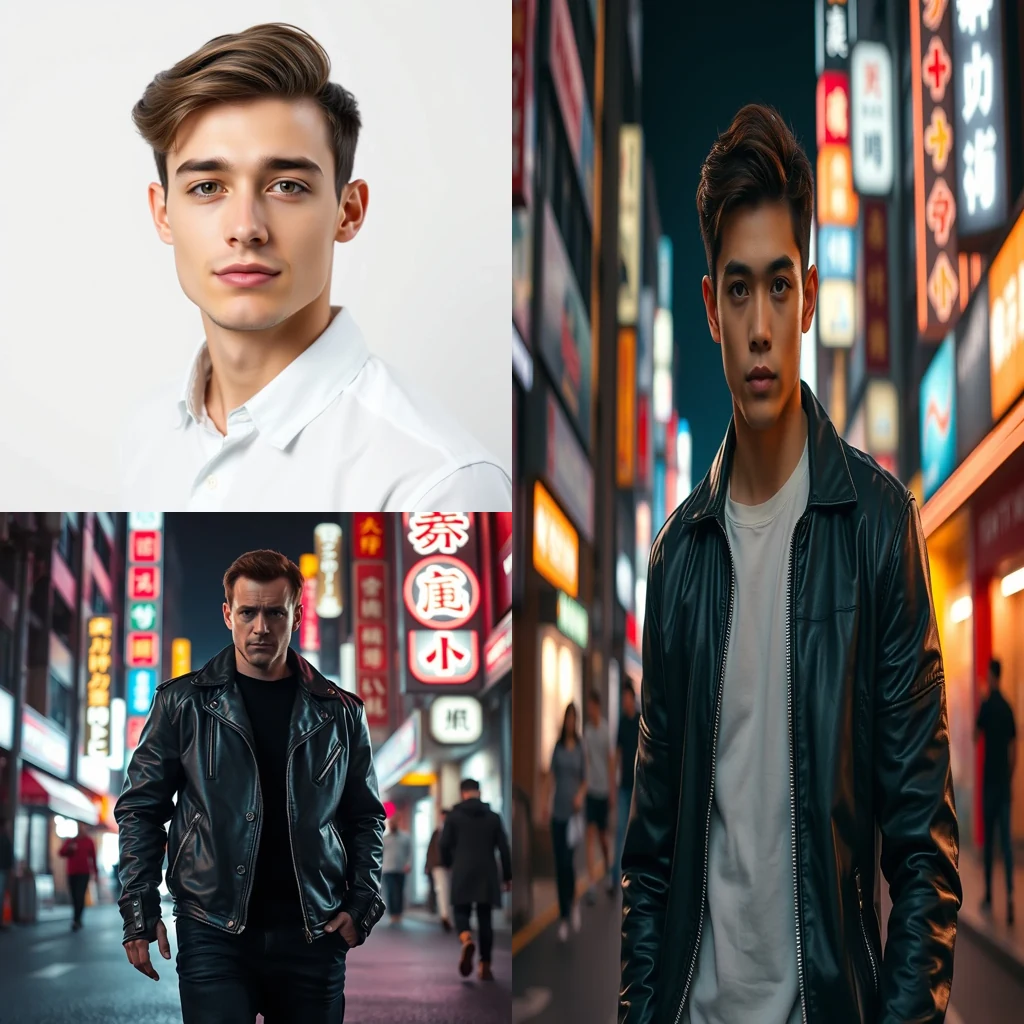
Movie poster face swap — replace lead actor with user portrait, preserve lighting and pose.

PromptMovie poster face swap — replace lead actor with user portrait, preserve lighting and pose.

Before/after composite

For every flavour of Deepfake Safe

Parody and Satire

Content creators use AI Face Swap to place public figures or celebrities into humorous scenarios without copyright concerns. The browser-based processing means sensitive political or satirical content never touches external servers, keeping your creative commentary private until you choose to publish.

Fan-Art Cosplay

Cosplayers and fan artists swap their faces onto movie characters or fictional personas for social media content. Since files stay in your browser, you can experiment with different character looks without worrying about your photos being stored on unknown servers or used for training datasets.

Movie-Poster Rewrites

Film enthusiasts and content creators reimagine classic movie posters by swapping in different actors or themselves. The deepfake safe approach ensures your creative edits remain private during processing, with output that's yours to use commercially without licensing restrictions.

How Deepfake Safe compares

How we tested: I tested face swap tools using headshots from a corporate training video where consent was already secured for AI processing. The goal was to create educational content demonstrating deepfake detection techniques without exposing real employee faces to third-party servers or creating permanent digital records that could be misused.

ToolPricingFriction
MiOffice ★$2.49 Day Pass / $6.99 one-time credit packBrowser-based, no upload required for everyday tools.
Pica AI$5-13/moWatermarked outputs on free tier make it obvious you're using face swap technology, defeating the purpose of creating realistic samples for deepfake awareness training.
VidnozSubscription + credit packsDaily processing limits and queue delays mean you can't generate enough varied examples for comprehensive deepfake detection workshops within tight training schedules.
DeepSwapSubscriptionSubscription requirement creates a paper trail linking your organization to face swap usage, which could raise compliance concerns for security-focused training programs.

Why MiOffice

  • Files stay in your browser — nothing uploads to MiOffice or any other server.
  • Verify it yourself — open your browser's network panel during processing, you'll see no outgoing uploads.
  • File transfers and screen sharing are end-to-end encrypted between devices — content never passes through MiOffice.
  • AI generations run on MiOffice-controlled infrastructure — your prompts never train third-party models.
  • Output is yours — royalty-free for personal and commercial use, including monetised videos.

Common mistakes to avoid

  • Using cloud-based tools for sensitive face swap training

    Fix: Choose browser-only processing to avoid creating server logs of your deepfake detection work

  • Creating face swaps without documented consent

    Fix: Always secure written permission before using anyone's likeness, even for educational purposes

  • Storing generated deepfakes in shared cloud folders

    Fix: Keep training materials on local devices with proper access controls and deletion schedules

  • Testing deepfake detection on real employee photos

    Fix: Use stock photos or volunteer headshots with explicit AI processing consent

Frequently asked questions

Is AI face swap free?

No, AI face swap requires credits since it runs on GPU infrastructure. You can get started with a Day Pass at $2.49 or one-time pack at $6.99. Unlike browser-based tools, this AI face swap delivers high-quality results that match professional deepfake safe standards, making it worth the small cost for creators who need reliable face swapping.

What's the best AI face swap?

MiOffice's AI Face Swap stands out for privacy and quality. Files stay in your browser — verify in your browser's network panel that nothing uploads during processing. The AI generates deepfake safe results that work for both personal projects and commercial content. Output is royalty-free, unlike some competitors that restrict commercial use or add watermarks.

Is face swap legal?

Yes, when used responsibly. Face swapping is legal for personal projects, entertainment, and most commercial content like marketing videos. However, creating non-consensual deepfakes or impersonating someone maliciously can violate laws. MiOffice's deepfake safe approach helps creators make ethical content — always get permission before swapping someone else's face.

Does MiOffice upload my photos for face swapping?

No. Your photos stay in your browser throughout the entire process. open your browser's network panel while face swapping — you'll see zero upload requests to MiOffice servers. The AI processing happens on our infrastructure, but your source images never leave your device. This privacy-by-architecture approach beats competitors like FaceSwapper and DeepSwap that require uploading your photos.

How accurate is MiOffice's AI face swap?

Very accurate for most face types and angles. The AI preserves facial expressions, lighting, and skin tone while seamlessly blending the swapped face. Results work best with clear, front-facing photos where both faces are well-lit. For challenging angles or low-resolution images, you might need multiple attempts to get the perfect deepfake safe result.

Can I use face swapped videos commercially?

Yes. All output from MiOffice's AI Face Swap is royalty-free for personal and commercial use, including monetised YouTube videos and social media content. You own the generated results completely. Just ensure you have permission to use the original faces — the deepfake safe approach means respecting consent and avoiding impersonation.

What if the face swap looks unnatural?

Try using higher-resolution source images with clear facial features and good lighting. The AI face swap works best when both faces are similar in angle and lighting conditions. If results still look off, experiment with different source photos — sometimes a slightly different angle or expression produces much more natural deepfake safe results.

How does this compare to FaceApp or Reface?

MiOffice prioritises privacy — your photos never upload anywhere, unlike FaceApp which processes images on their servers. The AI generates higher-quality swaps than most mobile apps, with better facial detail preservation. Plus, output is completely royalty-free for commercial use, while some competitors restrict monetisation of face-swapped content.

Do I need to sign up to use AI face swap?

no setup needed. Just visit the tool, upload your images, and start swapping faces immediately. You only need to purchase credits when you're ready to generate — Day Pass at $2.49 or one-time pack at $6.99. This streamlined approach means you can test the interface and prepare your images before committing to any purchase.

What image formats work with face swap?

The AI face swap accepts JPG, PNG, and WebP formats. For best results, use high-resolution images (at least 512x512 pixels) where faces are clearly visible and well-lit. The tool automatically optimises your images for processing, but starting with quality source material ensures the most convincing deepfake safe results.

Ready to generate?

Free credits on signup. No subscription required.

Open AI Face Swap →