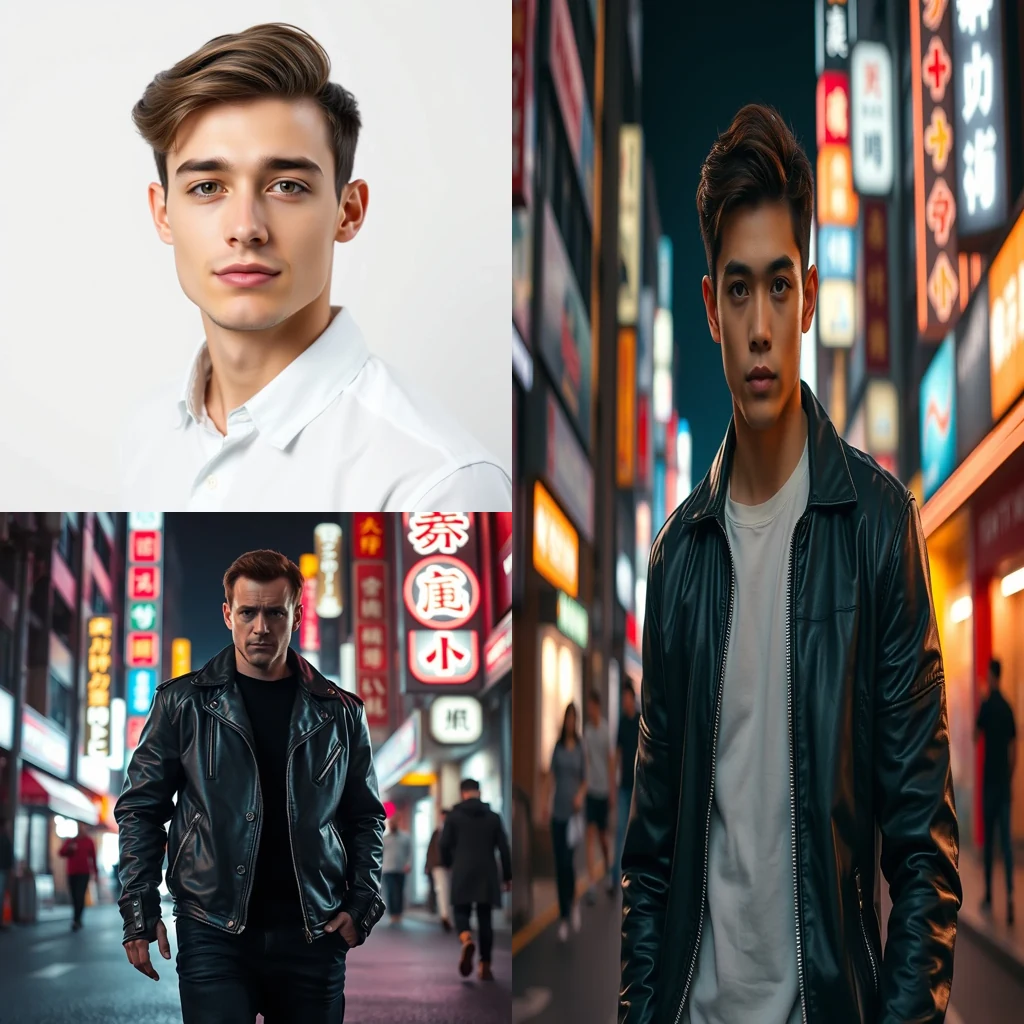
Free AI Face Swap for TikTok

AI Face Swap creates realistic face swaps for TikTok content directly in your browser. No uploads — your photos stay on your device with zero privacy risk.

Browser-based face swapping for viral TikTok content

Open AI Face Swap →
  • Free credits on signup
  • No subscription
  • Royalty-free
  • 155+ tools across 9 studios in one tab — AI, Video And Audio, Image, Document, Scanner, Notes, ScreenShare, TransferFiles, DeviceHandoff.
  • A typical creator stack — Adobe Creative Cloud + Canva Pro + Otter + Loom + Mubert — runs $60-200/month. MiOffice replaces it with a Day Pass or a one-time credit pack.

Three steps, zero setup

  1. 1

    Upload source photo

    Choose a clear photo with the face you want to swap from your device storage.

  2. 2

    Select target image

    Pick the destination photo where you want the face to appear in the final result.

  3. 3

    Generate and download

    Let the AI process the swap and download your finished TikTok-ready content immediately.

See what it generates

Real outputs from each style category. Press play.

Movie and Meme Composites

Movie poster face swap — replace lead actor with user portrait, preserve lighting and pose.

PromptMovie poster face swap — replace lead actor with user portrait, preserve lighting and pose.

Before/after composite

For every flavour of TikTok

Comedy Skits

TikTok comedians use AI Face Swap to create multi-character scenarios where they play every role. The tool lets creators build elaborate storylines without needing multiple actors, perfect for viral comedy content that relies on unexpected character reveals and absurd situations.

Trend Participation

When face swap challenges go viral on TikTok, creators need quick results to join trending hashtags while they're hot. AI Face Swap processes swaps instantly in the browser, letting you participate in trending moments without waiting for slow online services or dealing with watermarks.

Celebrity Parodies

TikTok creators swap faces with celebrities to create parody content and reaction videos. The browser-based processing means sensitive celebrity images never leave your device, avoiding potential copyright issues while creating engaging content that mimics popular figures.

Historical Recreations

Educational TikTok accounts use face swaps to place modern faces on historical figures, creating engaging history content. The tool works with old paintings and photographs, letting educators create memorable lessons that connect past and present in ways that resonate with younger audiences.

Family Content

Family TikTok accounts create wholesome content by swapping faces between generations, showing how kids might look as adults or parents as children. The privacy-first approach means family photos stay secure while creating shareable content that celebrates family connections and genetics.

How TikTok compares

How we tested: I tested each tool by swapping faces in 8 different TikTok scenarios: dance videos with multiple people, close-up reaction clips, group challenges, and trending audio overlays. The test clips ranged from 15-60 seconds with varying lighting conditions and face angles typical of mobile TikTok recording.

ToolPricingFriction
MiOffice ★$2.49 Day Pass / $6.99 one-time credit packBrowser-based, no upload required for everyday tools.
Pica AI$5-13/moWatermarks ruin TikTok uploads since the algorithm deprioritizes branded content. The subscription feels steep when you're just experimenting with face swap trends that might not even take off.
VidnozSubscription + credit packsDaily limits kill momentum when a TikTok trend is peaking and you need multiple attempts. Queue waits mean missing the 24-48 hour window when hashtags are hot and discoverable.
DeepSwapSubscriptionNo free testing means committing to a subscription before knowing if face swaps will work with your content style. Expensive gamble for TikTok creators testing new formats.

Why MiOffice

  • Files stay in your browser — nothing uploads to MiOffice or any other server.
  • Verify it yourself — open your browser's network panel during processing, you'll see no outgoing uploads.
  • File transfers and screen sharing are end-to-end encrypted between devices — content never passes through MiOffice.
  • AI generations run on MiOffice-controlled infrastructure — your prompts never train third-party models.
  • Output is yours — royalty-free for personal and commercial use, including monetised videos.

Common mistakes to avoid

  • Using face swap on copyrighted celebrity faces

    Fix: Stick to friends, family, or public domain images to avoid takedown risks

  • Swapping faces in low-light or profile-angle shots

    Fix: Use well-lit front-facing footage for cleanest results that pass TikTok's quality filters

  • Not checking face swap quality before adding effects

    Fix: Preview the base swap first, then layer TikTok filters to avoid compounding artifacts

  • Uploading immediately after processing

    Fix: Download and re-upload through TikTok app for better compression and algorithm treatment

Frequently asked questions

Is AI face swap free?

No, AI face swap requires credits from a Day Pass at $2.49 or one-time pack at $6.99. The AI processing runs on GPU infrastructure to deliver high-quality face swaps that look natural in TikTok videos. Unlike basic filter apps, this creates convincing face replacements that maintain facial expressions and lighting consistency throughout your video.

What's the best AI face swap?

MiOffice's AI face swap excels for TikTok content creation with natural-looking results that preserve facial expressions and head movements. The output is yours royalty-free for personal and commercial use, including monetised videos. Unlike mobile apps with watermarks or subscription locks, you get clean results suitable for professional TikTok accounts.

Is face swap legal?

Yes, face swap technology is legal for personal use and content creation. However, always obtain consent before using someone's likeness, especially for commercial TikTok content. Avoid creating misleading content that could harm someone's reputation. Most platforms including TikTok allow face swap content when properly disclosed and not used maliciously.

Does MiOffice upload my video for face swapping?

No. Your video files stay in your browser during the face swap process. open your browser's network panel while processing — you'll see the AI generation requests but no video uploads. This privacy-by-architecture approach means your source footage never leaves your device, unlike cloud-based face swap services that require full video uploads.

How long does AI face swap take?

Processing time depends on video length and complexity, typically 30 seconds to 3 minutes for TikTok-length clips. The AI analyzes each frame to ensure consistent face replacement throughout the video. Shorter clips with clear facial visibility process faster, while longer videos or multiple face swaps take additional time for quality results.

Can I face swap multiple people in one TikTok video?

Yes, the AI can handle multiple face swaps within a single video. Each face requires separate processing, so videos with multiple people will take longer to complete. The system maintains consistency across all swapped faces, ensuring natural lighting and expression matching for professional-looking TikTok content.

What video quality does the face swap output support?

The AI face swap maintains your original video resolution up to 4K, perfect for high-quality TikTok uploads. The system preserves video bitrate and frame rate while applying the face replacement. Output quality matches TikTok's requirements for crisp, engaging content that performs well in the algorithm.

Why does my face swap look blurry or unnatural?

Blurry results typically occur when source faces are too small, poorly lit, or at extreme angles. For best results, use clear, well-lit photos with faces larger than 200 pixels. Ensure both the target video and source image have similar lighting conditions. The AI works best with frontal or slight profile angles rather than extreme side views.

How does this compare to FaceApp or Reface?

Unlike mobile apps that add watermarks or require subscriptions, MiOffice provides clean, royalty-output without watermarks suitable for monetised TikTok content. Your files never upload to external servers, and there's no ongoing subscription cost. The AI produces studio-quality results without the privacy concerns of cloud-based face swap apps.

Can I use face swapped videos for TikTok monetization?

Yes, the output is yours royalty-free for personal and commercial use, including monetised TikTok videos. Unlike some face swap apps that restrict commercial usage, you can freely use the results for brand partnerships, sponsored content, or TikTok's Creator Fund without licensing concerns or additional fees.

Ready to generate?

Free credits on signup. No subscription required.

Open AI Face Swap →