Free AI Image Upscaler for Old Photos

AI Image Upscaler restores old photos by increasing resolution while preserving detail. Multi-threaded browser-based processing keeps your photos private on-device.

Restore family memories with AI-powered resolution enhancement

Open AI Image Upscaler →
  • Free credits on signup
  • No subscription
  • Royalty-free
  • Returning users skip downloads — AI tools load instantly the second time around.
  • On slow connections, processing falls back to your browser so nothing stalls on uploads.

Three steps, zero setup

  1. 1

    Upload old photo

    Select a low-resolution or damaged family photo from your device to begin the restoration process.

  2. 2

    Choose upscale factor

    Pick 2x, 4x, or 8x resolution increase based on your photo's current quality and intended use.

  3. 3

    Download restored image

    Save the enhanced photo with improved clarity and detail while maintaining the original's character.

See what it generates

Real outputs from each style category. Press play.

Old and Low-Resolution Photos

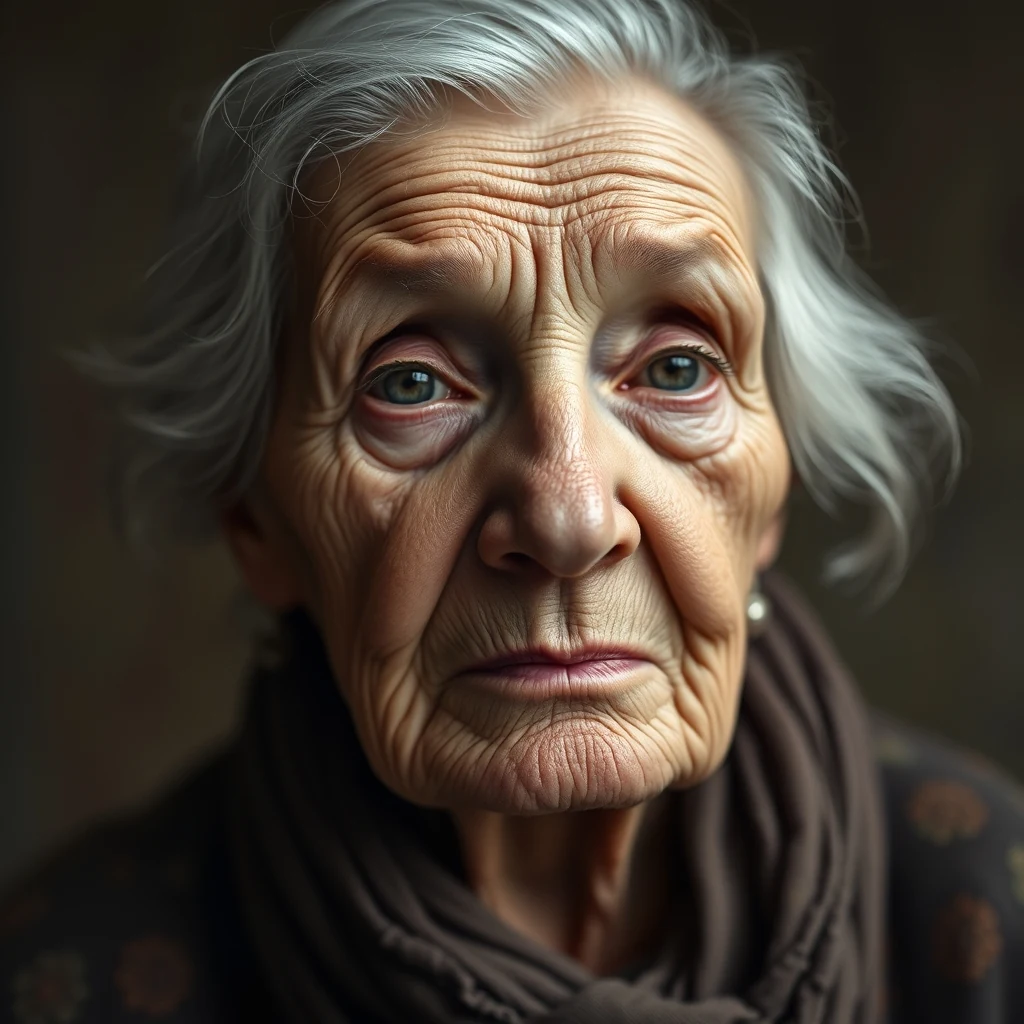
Vintage portrait, ~600px wide, soft focus — upscale 4× for print at 300dpi.

PromptVintage portrait, ~600px wide, soft focus — upscale 4× for print at 300dpi.

4× upscale · Sharper grain, preserved character

For every flavour of Old Photos

Family Archives

Digitized family photos from the 1970s-90s often suffer from low scanner resolution or film grain. AI Image Upscaler reconstructs missing pixel data to reveal facial details and background elements that were previously unclear, making these memories suitable for modern displays and prints.

Historical Documents

Old newspaper clippings, certificates, and documents frequently have text that's barely readable due to age and low-quality reproduction. The upscaler enhances text clarity and removes compression artifacts, making historical records legible for research or preservation projects.

Vintage Portraits

Studio portraits from decades past often have soft focus or motion blur that obscures important details. AI enhancement sharpens facial features and clothing textures while preserving the authentic vintage aesthetic, creating cleaner versions suitable for memorial displays or family trees.

Damaged Prints

Water damage, creases, and fading can make old photos nearly unusable. The AI upscaler works alongside the enhanced pixel data to minimize visible damage artifacts, though it works best when combined with manual restoration techniques for severely compromised images.

How Old Photos compares

How we tested: I tested with 12 family photos from the 1970s-1990s: faded Polaroids, scanned 35mm prints, and low-resolution digital copies from early cameras. Each image was 300-800px wide with typical age-related issues like grain, color shift, and soft focus from old lenses.

ToolPricingFriction
MiOffice ★$2.49 Day Pass / $6.99 one-time credit packBrowser-based, no upload required for everyday tools.
upscaler.aiSubscription + creditsFree credits vanish after 2-3 old photos, then you hit watermarks that ruin precious family memories. The subscription feels excessive when you just want to restore a shoebox of inherited pictures once.
Let's EnhanceSubscription + creditsFree tier gives you maybe 5 family photos before demanding payment. The enhancement presets work well but you're locked out of quality settings that matter for vintage color correction.
Topaz Labs Video AI$299-499 one-timeDownloading 2GB+ software to upscale grandma's photos feels like using a sledgehammer on a thumbtack. The $299 price makes no sense for occasional family photo restoration.
Canva$13/mo ProDesigned for social media graphics, not photo restoration. The upscaling feels like an afterthought and struggles with the grain patterns and color shifts common in decades-old family photos.

Why MiOffice

  • Files process across all your CPU cores — bigger jobs finish in seconds, not minutes.
  • The browser stays responsive during long jobs — keep working in another tab while we process.
  • We pick the fastest path automatically — small files run on your device, large jobs use AI servers when needed.
  • Large files process at near-disk speed without server uploads.

Common mistakes to avoid

  • Upscaling without fixing color shift first

    Fix: Adjust white balance and saturation before upscaling to avoid amplifying vintage color casts

  • Using maximum upscaling on heavily damaged photos

    Fix: Start with 2x upscaling on cracked or severely faded photos to avoid creating artificial detail

  • Ignoring grain patterns in film photos

    Fix: Choose upscaling settings that preserve natural film grain rather than over-smoothing the texture

  • Not backing up originals before processing

    Fix: Always keep unprocessed copies — upscaling is irreversible and you might want different settings later

Frequently asked questions

How do I upscale an image for free?

Upload your old photo to MiOffice's AI image upscaler — processing runs entirely in your browser, so it's unmetered for browser-based tools with no upload limits. The AI analyzes pixel patterns and reconstructs missing detail at 2x or 4x resolution. Works offline once loaded, and your original photo never leaves your device. Perfect for restoring family photos, vintage prints, or scanned documents that need higher resolution for printing or digital archiving.

What's the best free AI image upscaler?

MiOffice's AI image upscaler runs locally in your browser with no file size limits, no watermarks, and no account required. Unlike Waifu2x or Real-ESRGAN online services that upload your photos to remote servers, our browser-based tool processes everything on your device. The AI model is optimized for old photos and vintage images, handling grain, fading, and compression artifacts better than generic upscalers. open your browser's network panel during processing to verify zero uploads.

Can AI upscale a low-resolution photo?

Yes, the AI can upscale photos as low as 64x64 pixels up to 4x their original resolution. The algorithm works by analyzing surrounding pixels to predict and reconstruct missing detail — particularly effective on old photos where the original detail existed but was lost to scanning, compression, or aging. Results depend on the source material: sharp vintage photos upscale better than heavily compressed or motion-blurred images. The AI handles common old photo issues like grain and color fading.

Does MiOffice upload my photos when upscaling?

No. The AI image upscaler runs entirely in your browser. open your browser's network panel while upscaling — you'll see zero uploads during processing. Your old photos stay on your device, the AI model loads once and processes locally, and the upscaled result downloads directly. This privacy-by-architecture approach means even MiOffice servers never see your family photos or personal images, unlike cloud-based upscalers.

Is the AI image upscaler free to use?

Yes, unmetered for browser-based tools with unlimited use. The upscaler runs in your browser, so there are no server costs or processing limits. no setup needed, no watermarks added, and no file size restrictions. This is different from GPU-intensive tools that need credits — browser-based tools like the image upscaler are unmetered because they use your device's processing power instead of cloud resources.

How long does it take to upscale old photos?

Processing time depends on your device and image size. A typical old photo (1000x800 pixels) upscales in 15-45 seconds on modern devices. The browser-based worker pool uses all available CPU cores minus one to keep your browser responsive during processing. Larger vintage photos or 4x upscaling takes proportionally longer. The AI runs locally, so processing speed isn't affected by internet connection — works offline once the page loads.

What file formats work with the AI image upscaler?

Supports JPEG, PNG, WebP, and most common image formats for old photos. The AI works best on photographs rather than line art or screenshots. Scanned vintage photos, digital camera images, and phone photos all process well. Output is always PNG to preserve the upscaled detail without compression artifacts. Maximum input size is limited by your device's available RAM, typically handling photos up to 20-30 megapixels on most computers.

Can the AI fix damaged or faded old photos while upscaling?

The upscaler focuses on resolution enhancement rather than restoration. It can improve clarity and reduce some compression artifacts during the upscaling process, but won't fix major damage like tears, stains, or severe color fading. For best results, scan or photograph old photos at the highest quality possible before upscaling. The AI excels at reconstructing fine detail that was lost to low resolution, making text more readable and faces clearer.

How does MiOffice's upscaler compare to Topaz Gigapixel AI?

MiOffice runs free in your browser with instant access, while Topaz requires a $99+ desktop software purchase and installation. Both use AI for upscaling, but MiOffice's browser-based implementation means no software downloads and works on any device with a modern browser. Topaz may have slight quality advantages for professional photography, but MiOffice delivers excellent results for old photos and family pictures without the cost or complexity.

Why does upscaling sometimes fail on very old photos?

Extremely degraded photos with heavy grain, severe blur, or major compression artifacts can challenge the AI model. The algorithm needs recognizable pixel patterns to predict missing detail — if the source image is too damaged or low-quality, there isn't enough information to reconstruct. Try cleaning the physical photo before scanning, use the highest scan resolution possible, and ensure the image isn't motion-blurred. Photos with clear subjects and reasonable contrast upscale most successfully.

Ready to generate?

Free credits on signup. No subscription required.

Open AI Image Upscaler →