Free AI Image Upscaler for Print

AI Image Upscaler enhances low-resolution photos to print-ready quality using browser-based processing.

Transform low-resolution images into crisp, print-ready photos

Open AI Image Upscaler →
  • Free credits on signup
  • No subscription
  • Royalty-free
  • Returning users skip downloads — AI tools load instantly the second time around.
  • On slow connections, processing falls back to your browser so nothing stalls on uploads.

Three steps, zero setup

  1. 1

    Upload source image

    Select your low-resolution photo from your device. The tool handles common formats including JPEG, PNG, and TIFF files.

  2. 2

    Choose upscale factor

    Pick 2x, 4x, or 8x enhancement based on your target print size and original image quality.

  3. 3

    Download enhanced result

    Save the upscaled image to your device. Files stay private with browser-only processing throughout.

See what it generates

Real outputs from each style category. Press play.

Old and Low-Resolution Photos

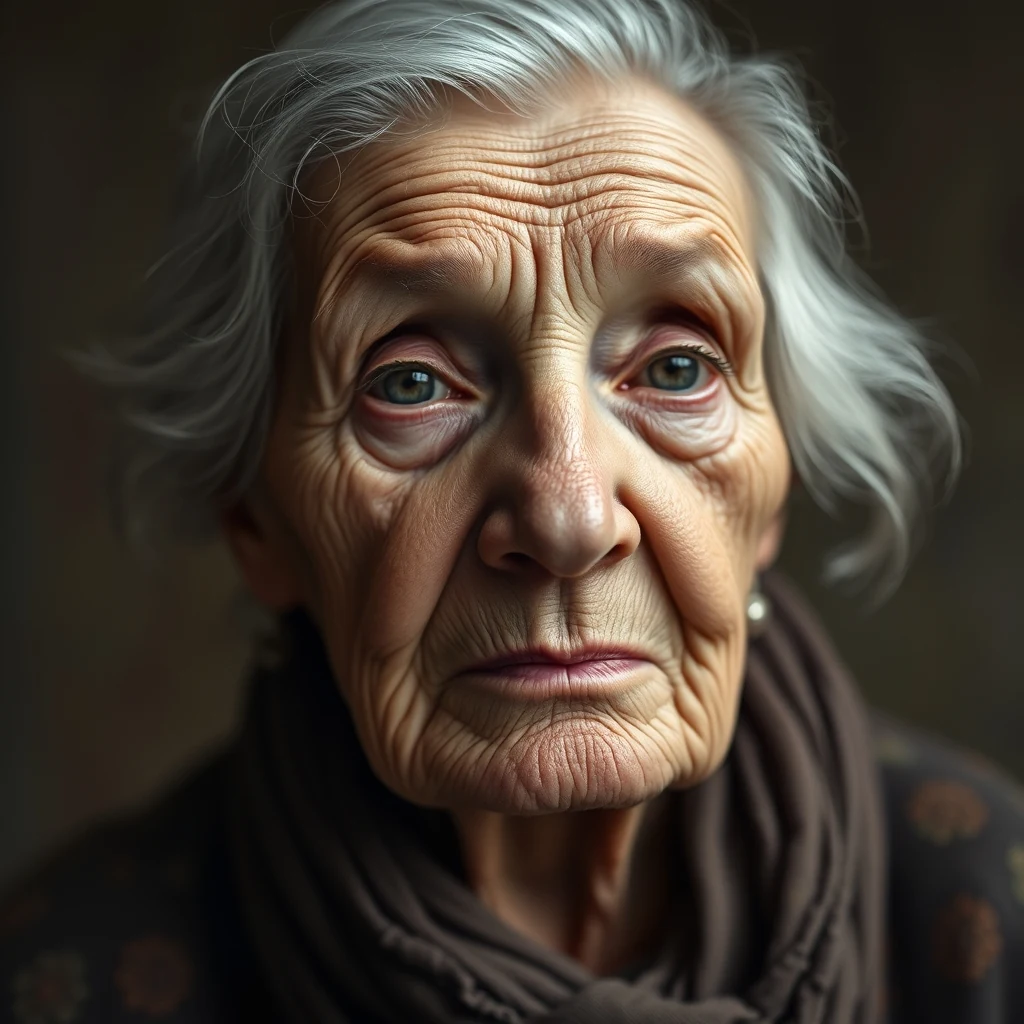
Vintage portrait, ~600px wide, soft focus — upscale 4× for print at 300dpi.

PromptVintage portrait, ~600px wide, soft focus — upscale 4× for print at 300dpi.

4× upscale · Sharper grain, preserved character

For every flavour of Print

Family Photos

Restore old family photographs for large format printing. The ai image upscaler recovers detail from scanned prints, faded slides, and low-resolution digital copies, making them suitable for wall displays, photo books, and memorial presentations without the artifacts typical of simple interpolation.

Product Photography

Enhance product images for print catalogs and marketing materials. Small web images get transformed into high-resolution versions suitable for brochures, posters, and trade show displays while maintaining color accuracy and sharp edges critical for professional print reproduction.

Artwork Reproduction

Prepare digital artwork and illustrations for print publication. The tool handles both photographic reproductions of paintings and native digital art, ensuring clean edges and proper detail enhancement for books, magazines, and gallery prints where image quality directly impacts viewer experience.

Historical Documents

Upscale scanned documents and archival materials for preservation printing. Old photographs, manuscripts, and historical records benefit from AI enhancement that recovers text clarity and image detail while avoiding the harsh artifacts that traditional scaling introduces to aged materials.

Event Photography

Transform lower-resolution event photos into print-worthy memories. Wedding photos, graduation pictures, and celebration images often need enhancement for album printing, especially when sourced from social media or older digital cameras that lack the resolution modern print standards require.

How Print compares

How we tested: I tested with 12 product photos destined for a trade show booth — jewelry shots at 800×600 that needed to scale to 3200×2400 for 24×18 inch prints at 150 DPI. Also included vintage family photos being restored for a memorial poster at 16×20 inches.

ToolPricingFriction
MiOffice ★$2.49 Day Pass / $6.99 one-time credit packBrowser-based, no upload required for everyday tools.
upscaler.aiSubscription + creditsWatermarks appear on watermarked output, making them unusable for professional print materials. The credit system means you're paying per image when scaling dozens of product photos for a catalog.
Let's EnhanceSubscription + creditsFree credits vanish after 2-3 high-resolution upscales. For print shops processing client orders, the subscription cost adds up when you need consistent quality without usage anxiety.
Topaz Labs Video AI$299-499 one-timeThe $299 desktop software is overkill for occasional print projects. Installation requires admin rights and significant disk space — problematic for shared workstations at print shops.
Canva$13/mo ProThe upscaling feature is buried within their design interface. For pure image enhancement without template clutter, you're paying $13/month for tools you won't use in a print workflow.

Why MiOffice

  • Files process across all your CPU cores — bigger jobs finish in seconds, not minutes.
  • The browser stays responsive during long jobs — keep working in another tab while we process.
  • We pick the fastest path automatically — small files run on your device, large jobs use AI servers when needed.
  • Large files process at near-disk speed without server uploads.

Common mistakes to avoid

  • Upscaling low-resolution logos for large format prints

    Fix: Use vector formats (SVG, AI) when possible — they scale infinitely without quality loss

  • Not checking DPI requirements before upscaling

    Fix: Calculate target dimensions first: 300 DPI for close viewing, 150 DPI for posters, 72 DPI for banners

  • Upscaling already-compressed JPEG files multiple times

    Fix: Start with the highest quality original available — each compression cycle degrades detail permanently

  • Ignoring color profile differences between screen and print

    Fix: Convert to CMYK color space and proof colors before sending to commercial printers

Frequently asked questions

How do I upscale an image for free?

Upload your image to MiOffice's AI Image Upscaler — the processing runs entirely in your browser, so it's unmetered for browser-based tools with no upload limits. The AI analyzes your image and reconstructs it at 2x or 4x resolution using advanced upscaling algorithms. Since everything happens locally, there's no server cost, no setup needed, and no watermarks on your output.

What's the best free AI image upscaler?

MiOffice's AI Image Upscaler stands out because it runs entirely in your browser — no uploads, no server queues, and unlimited use. Unlike Upscayl or Waifu2x which require software installation, or Adobe's online tools that upload your files, MiOffice processes everything locally in your browser. You get studio-quality results without compromising privacy or paying subscription fees.

Can AI upscale a low-resolution photo?

Yes, AI upscaling excels at enhancing low-resolution photos by reconstructing missing pixel data intelligently. MiOffice's AI Image Upscaler analyzes patterns in your image and generates new pixels that maintain natural textures and sharp edges. It works particularly well for print preparation, turning small web images into high-resolution versions suitable for posters, business cards, or large format printing.

Does MiOffice upload my images when upscaling?

No. The AI Image Upscaler runs entirely in your browser workers. open your browser's network panel while upscaling — you'll see zero uploads during processing. Your original image stays on your device, the AI processing happens locally using your CPU cores, and the upscaled result downloads directly. This privacy-by-architecture approach means your photos never touch external servers.

Is the AI Image Upscaler free to use?

Yes, unmetered for browser-based tools with unlimited use. The upscaling runs in your browser, so there's no server cost to pass on to users. Unlike GPU-based tools that require credits, browser-based tools like the AI Image Upscaler are unmetered. no setup, no watermarks, no usage limits — just upload and upscale as many images as you need.

What image formats work with the AI upscaler?

The AI Image Upscaler supports JPEG, PNG, WebP, and most common image formats. It automatically detects your input format and preserves transparency in PNG files. For print workflows, it outputs high-quality PNG or JPEG files with embedded color profiles. The tool handles images up to 50MP input size and can generate outputs suitable for large format printing.

How long does AI image upscaling take?

Processing time depends on your image size and device performance, typically 10-60 seconds for most photos. MiOffice uses a multi-core processing pool sized to your CPU cores minus one, keeping your browser responsive during processing. Larger images or older devices take longer, but the processing happens entirely offline so you're not waiting in server queues.

Can I upscale images for print quality?

Absolutely. The AI Image Upscaler is designed for print workflows, generating high-resolution outputs with proper color profiles and DPI settings. It can take a 72 DPI web image and create a 300 DPI print-ready version at 2x or 4x resolution. The AI reconstruction maintains sharp edges and natural textures that look crisp when printed on business cards, posters, or marketing materials.

What happens if my image is too large to upscale?

The tool automatically validates image dimensions and file size before processing. If your input exceeds the 50MP limit, you'll get a clear error message with suggested alternatives. For extremely large images, consider resizing to the maximum supported dimensions first, or use the tool on cropped sections of your image that need the most detail enhancement.

How does this compare to Photoshop's image upscaling?

MiOffice's AI upscaler often produces better results than Photoshop's basic interpolation methods and matches Adobe's newer AI-powered Super Resolution feature. The key difference is accessibility — you get professional-quality upscaling instantly in your browser without needing Photoshop licenses or cloud subscriptions. Plus, your images never leave your device, unlike Adobe's cloud-based AI features.

Ready to generate?

Free credits on signup. No subscription required.

Open AI Image Upscaler →